April Fools' Day antics fade quickly, but unfortunately, scammers remain relentless.
Spring marks a peak season for cybercriminal activity. It's not due to negligence, but because busy professionals can become distracted, rushing through their workdays.
This creates openings for sophisticated scams that blend seamlessly into everyday tasks—only revealing their true danger when it's too late.
Here are three current scams targeting even the most vigilant employees striving to keep up with their workload.
As you review these, consider: Would everyone on my team carefully pause and spot these threats?
Scam #1: Fake Toll or Parking Fee Alerts
An employee receives a text stating:
"You owe an unpaid toll fee of $6.99. Pay within 12 hours to avoid penalties."
The message references legitimate toll services like E-ZPass, SunPass, or FasTrak, tailored to the recipient's state. The small amount seems harmless, so in between meetings, the employee clicks the link, pays, and moves on.
But the link is fraudulent.
In 2024, the FBI logged over 60,000 complaints about fake toll-related texts, with reports rising 900% in 2025. Researchers uncovered more than 60,000 counterfeit domains mimicking state toll agencies, highlighting the scam's profitability. Shockingly, some messages target residents even in states without toll roads.
This scam succeeds because a modest charge feels low-risk, and many recently encountered tolls or parking fees, making the message feel credible.
Key defense: Authentic toll agencies don't request immediate payments via text message. Your company's policy should prohibit paying through text links. Employees should directly visit official websites or apps to confirm payments and avoid replying at all—including messages like "STOP"—to prevent confirming their number's activity.
Smart process replaces risky convenience.
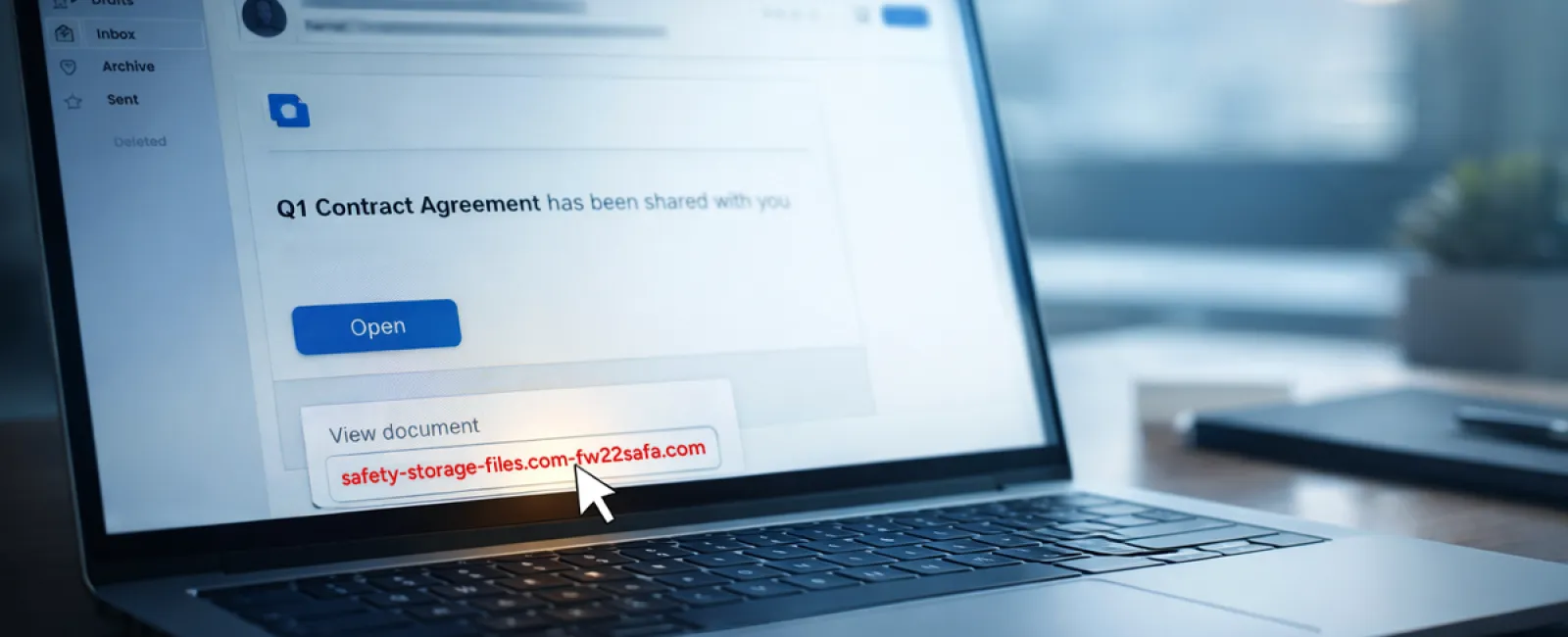
Scam #2: "Your File Is Ready" Phishing Emails
This scam integrates smoothly into typical workflows.
An employee receives an email claiming a document has been shared, often a contract via DocuSign, a spreadsheet on OneDrive, or a file in Google Drive.
The sender's name and format look authentic.
They click the link, prompted to enter login information—unwittingly handing over credentials.
Once attackers access these credentials, they can infiltrate your company's cloud environment.
Phishing attacks exploiting trusted platforms like Google Drive, DocuSign, Microsoft, and Salesforce surged 67% in 2025 according to KnowBe4's Threat Labs. Google Slides-based phishing alone increased over 200% within six months.
Worryingly, employees are seven times likelier to click links from trusted file-sharing services than unfamiliar emails because the notifications appear genuine.
Newer attack methods are even tougher to detect: hackers compromise accounts and send notifications from legitimate platform servers, bypassing spam filters.
Preventive measure: Train employees not to click unexpected file-share links. Instead, they should access platforms directly by logging in via their browsers. IT teams can also restrict external sharing permissions and enable alerts for suspicious login activity—changes that take minutes but significantly reduce risk.
Simple caution delivers strong protection.
Scam #3: Highly Polished, Targeted Emails
Gone are the days when phishing emails were obvious due to poor grammar and odd formatting.
A 2025 study revealed that AI-generated phishing emails reached a staggering 54% click rate—more than four times higher than human-crafted scams at 12%. These emails smartly incorporate real company details, job titles, and workflows, scraped from LinkedIn and corporate websites in moments.
Increasingly, cybercriminals craft messages aimed at specific departments: HR faces fake employee verification requests, finance teams receive bogus vendor payment updates, with vendor impersonation emails engaging 72% of targets—90% higher than other phishing types. These communications are calm, professional, and urgent without raising suspicions.
Protective strategy: Verify all requests involving credentials, payment modifications, or sensitive data through a second method—phone calls, chat, or face-to-face confirmation. Employees should always hover over sender addresses before clicking to ensure domains are legitimate. Any email pressuring immediate action should be treated as a warning itself.
True security empowers thoughtful action, not panic.
The Core Issue
These scams thrive on familiarity, authority, timing, and the idea that "it's just a quick click."
The real vulnerability lies not in careless employees but in processes that expect perfect judgment under pressure.
When a single hasty click could cause ruin, the problem is systemic—not personal.
The good news: system weaknesses can be fixed.
How We Can Support You
Most business owners don't want added projects or to take on the role of cyber trainer.
They simply want to ensure their companies aren't unknowingly vulnerable.
If you're concerned about your team's exposure—or know a fellow business owner who should be—let's connect.
Book a clear, no-pressure discovery call where we'll discuss:
- The current risks businesses like yours face
- How threats infiltrate routine workflows
- Practical ways to safeguard your company without slowing productivity
No hype. No fear tactics. Just honest advice to identify vulnerabilities and explore solutions.
Click here or give us a call at 1-303-423-4500 to schedule your free 15-Minute Discovery Call.
If this isn't your concern, please forward it to someone who would benefit from this insight. Sometimes awareness is all that's needed to transform "almost clicked" into "nice try."